Aspen staff permissions
The table below shows what logins have permissions to use various functionality within the Staff View area in Aspen.
This documentation explains the Staff View section of a record group page and the tasks that can be completed by library staff with the appropriate permissions assigned to their logins.
The table below shows what logins have permissions to use various functionality within the Staff View area in Aspen.
Permission & Role |
OPAC Reference |
OPAC Public & Tech Services |
OPAC Cataloging |
OPAC Administrator |
|---|---|---|---|---|
Viewing MARC Data |
X |
X |
X |
X |
Upload Covers |
X |
X |
X |
X |
Set Display Info |
X |
|||
Record Grouping |
X |
A sample of the MARC information you can find in the Staff View is below. The number in the left column of the image matches the MARC tag found in the ILS catalog record.
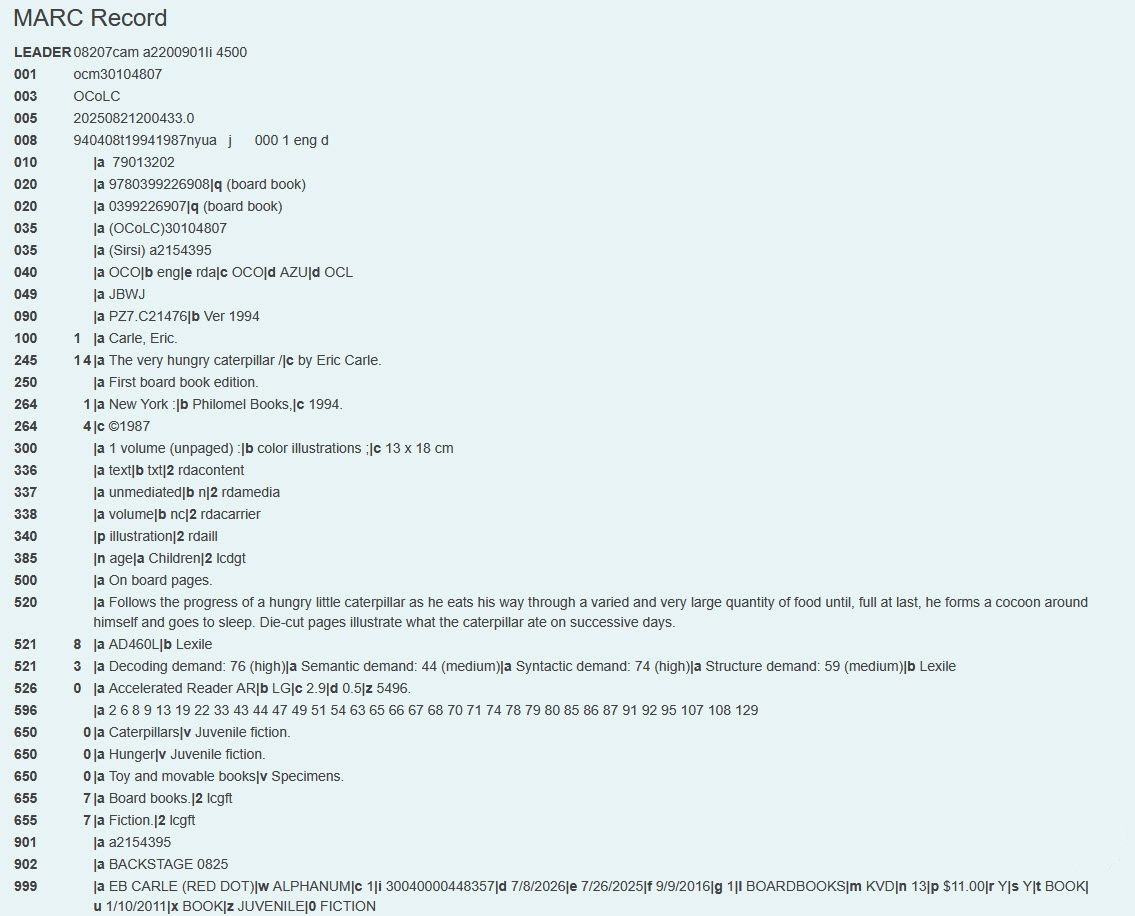
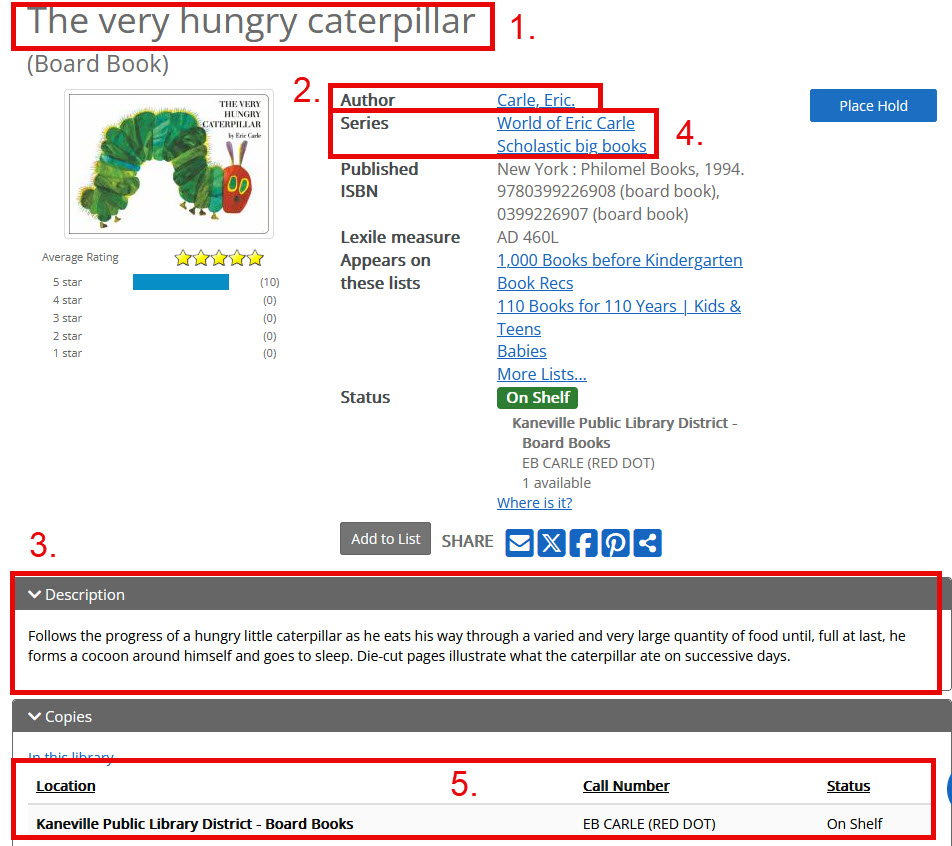
A few of the key elements that may be useful to folks who may not have in-depth knowledge of MARC tags or Aspen functionality include:
The Grouping Information section contains details related to the grouped work as a whole. The information here is not specific to any individual record in the grouped work.
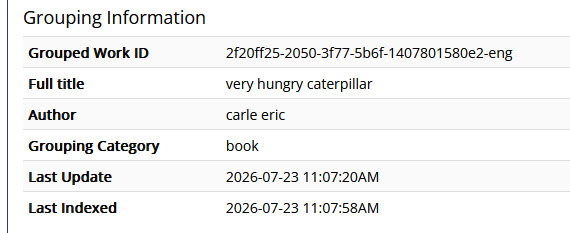
The ID for the grouped work. This ID ties all the grouped records together. Note the letters at the end of the ID -- in the above example, "eng" -- this is the language code. All grouped work IDs will have a language code at the end; this helps materials of the same language group together and prevents different language materials from grouping.
The normalized version of the title for all records in the grouped work, after things like puncutation, dates, etc., are stripped away.
The normalized version of the author for all records in the grouped work, after things like punctuation, dates, etc., are stripped away.
The grouping category for the records in this grouped work. This helps materials within the same grouping category automatically group together. For example: the formats Book, Audio Book, Large Print, Picture Book, etc. all have the grouping category of "Book," so they can group with each other, but not with formats of other grouping categories like "Movie."
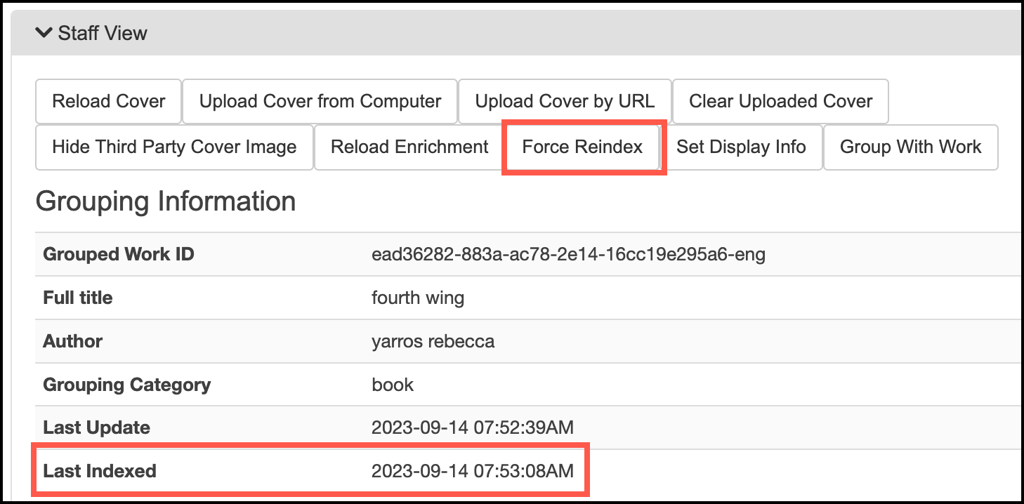
This date reflects the last time Aspen detected changes to the underlying data from the ILS (bibs or items) for any records within the grouped work. If you made a change that is not reflected, check this timestamp to verify if the system has processed those changes yet.
This date reflects the last time the record was last updated in Solr (the back-end processes that indexes records). If you made a change that is not reflected, check this timestamp to verify if the system has processed those changes yet.
For information on covers in Aspen, please see our Adding Covers page.
Clicking Reload Enrichment will prompt Aspen to re-fetch content enrichment from third party vendors, such as Novelist or Syndetics. This function does not apply to cover images.
This button will force Aspen to fetch data directly from the ILS. It can be used in troubleshooting. For example, if an item's checked out status didn't update to "Available" upon checking-in the item or the changes you make to a MARC record are not updating in Aspen, click on the "Force Reindex" button to bring in new information from the ILS.
The regular indexing process runs every few minutes, so you should see updates to the display within 10 minutes. Refresh the page, and check the Last Indexed time to verify. If after 10 minutes the record has still not updated accordingly, please open a ticket with SWAN staff.
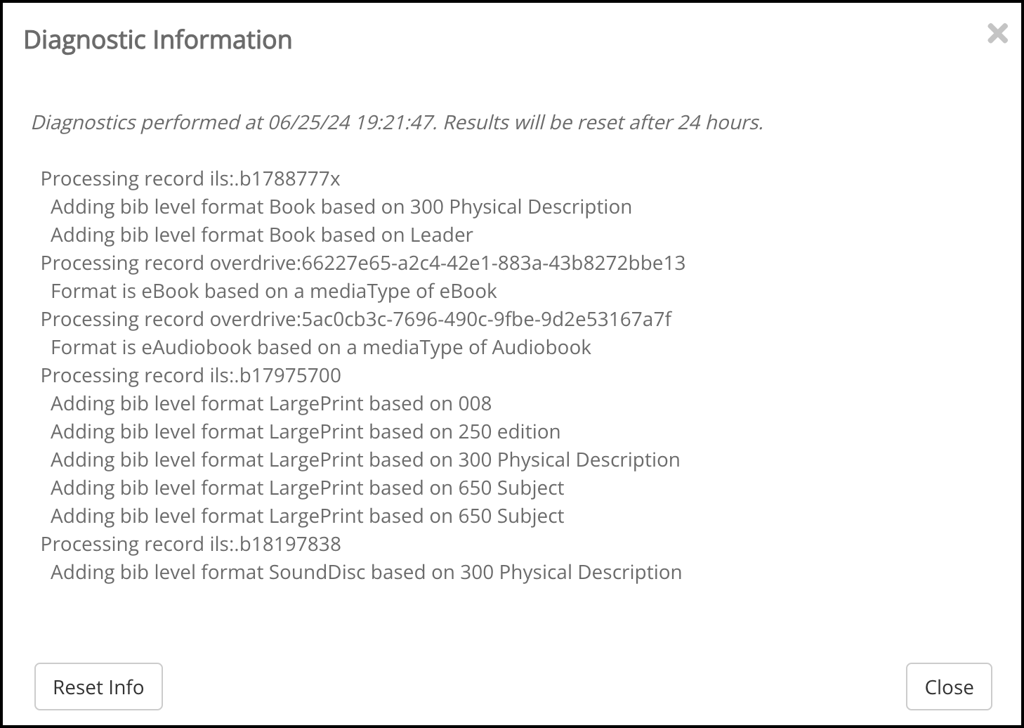
The Diagnostics information is looking at all records associated with the grouped work.
At first, clicking Diagnostics may only return the message "Diagnostics will be available after the record is indexed next."
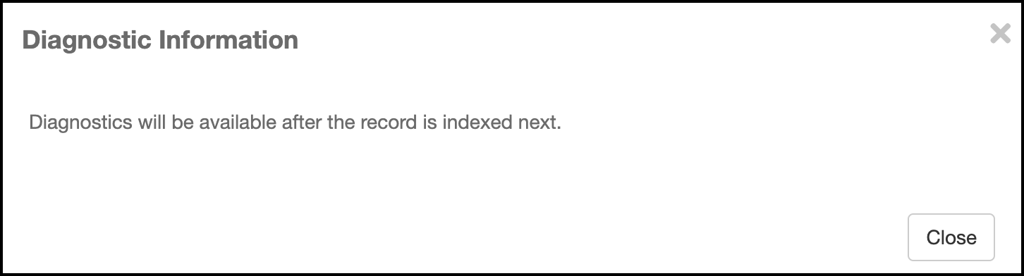
In this case, close out of the modal and click Force Reindex. Within a few minutes, clicking the Diagnostics button again should now display information about format determination. Below is an example for a grouped work using bib-level format determination and eContent formats for different records within the record group:
For physical materials that have incorrect information displayed, it is best practice to work with SWAN or cataloging staff at your library to update the MARC record in the ILS accordingly. If you see e-materials with content in the title or author field that is incorrect or misleading to patrons, you can manually update the title and/or author that is displayed in Aspen using this button. Changing information that is displayed does not impact grouping.
For information on record grouping in Aspen, please see our Grouped Records in Aspen page.